
Spinaud in Your Pocket
We built the Spinaud app for the moments between things: a few spins of Gates of Olympus on the train, a quick look at the live tables after dinner, a bet placed before kick-off. Everything from the desktop site comes along, including your balance, your bonuses and the crypto wallet you already use.

Meet the Spinaud App
The whole casino and sportsbook fits in your pocket, with balances in AUD.
We are Spinaud, and we built our app for the moments between things: the tram ride home, a slow half-time, the ten minutes before dinner. Open it and you get the same lobby as the desktop site. That means slots, live tables, poker and a full sportsbook, all on one account with your balance shown in AUD.
The game list comes from studios you probably know already. Pragmatic Play brings Gates of Olympus, a 96.5% RTP slot with multipliers that can land on any spin. Book of Dead and its 96.21% RTP still pulls a crowd, and NetEnt's Starburst stays a favourite for anyone who likes low volatility and quick, frequent wins. When you want a real dealer, Evolution runs the live studio, and Push Gaming adds some of the more unusual reel designs.
Money moves the way you like it. You can use Visa, Mastercard, Skrill, Neteller or Paysafecard, or go with crypto such as Bitcoin, Ethereum, Litecoin, TRON and USDT. New players can claim a 100% match plus 100 free spins straight from the app. If anything goes wrong, live chat, email and phone support are a tap away.
Mobile Site vs Spinaud App: Which One Suits You
Both open the same lobby, wallet and bonus, but they behave a little differently day to day.
Think of it like choosing between a cellar door and a picnic hamper. The mobile site is the cellar door: you walk in through Safari or Chrome, no download, and the whole Spinaud lobby is there, from Gates of Olympus to Evolution live tables. The app is the hamper you pack once and carry around: an icon on your home screen, a saved login and quicker reloads between sessions.
Your account, AUD balance and the 100% welcome bonus with 100 free spins work the same either way. Deposits by Visa, Mastercard, Skrill, Bitcoin or USDT go through on both. The real differences show up in speed, storage and alerts, so here is how they compare side by side.
| Feature | Mobile site | App |
|---|---|---|
| Installation | None, open in any browser | One-time install, about 2 minutes |
| Storage used | Browser cache only | Small footprint on your phone |
| Login | Manual or saved in browser | Saved session, fingerprint or Face ID login on supported phones |
| Loading speed | Depends on browser and connection | Faster repeat launches thanks to cached files |
| Game library | Full lobby: Pragmatic Play, NetEnt, Push Gaming, Evolution | Same full lobby |
| Live dealer streaming | Works well on 4G and Wi-Fi | Smoother playback on unstable connections |
| Push notifications | Not available | Bonus drops and withdrawal updates |
| Payments in AUD | Cards, e-wallets, crypto | Cards, e-wallets, crypto |
| Sports betting | Full markets | Full markets with quicker bet slip |
| Updates | Automatic on every visit | Occasional in-app refresh |
| Best for | Quick sessions and shared devices | Regular players on a personal phone |
Downloading Spinaud on Android
A few taps from our site to the lobby on your phone, no app store needed.
We keep the Android version simple. You get the installer straight from the Spinaud website rather than Google Play, so it takes a few taps more than a store download. After that it behaves like any other app on your phone. Inside you get the same lobby as on desktop: Gates of Olympus and Book of Dead on the slots side, Evolution tables when you want a live dealer, and the sportsbook one tab over.
Your account comes with you. If you already have a balance in AUD, or crypto like Bitcoin, USDT or Litecoin, it shows up the moment you log in. The welcome offer is the same too: 100% on your first deposit plus 100 free spins. One tip before you start: install on Wi-Fi, so the first load of game thumbnails doesn't use up your mobile data.
Go to Spinaud on your Android phone and tap the Android button in the menu or the app banner.
The file saves to your Downloads folder. It only takes a moment on a normal connection.
Android will ask about installing from your browser. Approve it once in Settings, then go back.
Tap the file, choose Install, then open Spinaud from your home screen.
Use your existing details or register, then make a deposit with Skrill, Visa, Neteller or crypto to claim the bonus.
Installing Spinaud on iOS
No App Store download needed: a home screen shortcut gets you playing in under a minute.
We don't keep a native app on the App Store, and that's mostly fine. Apple's rules on real-money gaming apps differ by region, so we built Spinaud as a web app instead. You install it from Safari and it sits on your home screen like any other icon. It opens full screen, remembers your login and takes up only a few megabytes, nothing like the hundreds a typical game download eats.
Inside you get the full lobby: Gates of Olympus, Book of Dead, Starburst, plus Evolution live tables that load fast on 4G. Deposits in AUD by Visa, Mastercard, Skrill or crypto such as Bitcoin and USDT work just as they do on desktop. Anything running iOS 15 or newer handles it comfortably.
Go to the Spinaud site in Safari. Chrome on iOS can add shortcuts too, but Safari gives the cleanest full-screen result.
It's the square with an upward arrow, at the bottom of the screen on iPhone or at the top on iPad.
Scroll down the share sheet, tap the option, keep the name Spinaud or rename it, then press Add.
Tap the new icon, log in once, and turn on Face ID login in your account settings so you can skip typing your password next time.
Everything the Spinaud App Can Do
A walk through the features you'll actually use, from the first spin to the last withdrawal.
The whole catalogue comes with you. Gates of Olympus, Book of Dead and Starburst sit up front, and titles from Pragmatic Play, NetEnt and Push Gaming load quickly on a phone connection.
Evolution streams its blackjack, roulette and game shows straight to your screen. Portrait mode works, so you can play one-handed while the kettle boils.
Switch from slots to sports in one tap. Build a slip, check live odds and cash out without ever opening a browser tab.
Fund your account with Visa, Mastercard, Skrill, Neteller or Paysafecard. Prefer crypto? Bitcoin, Ethereum, Litecoin, TRON and USDT are all in the cashier.
New players can claim the 100% match plus 100 free spins from the app itself. Your wagering progress shows on a simple tracker.
Live chat opens from any screen. Email and phone support are there too if your question needs a longer answer.
Spinaud App Screenshots
Six screens from the Spinaud app, from the lobby to the cashier.
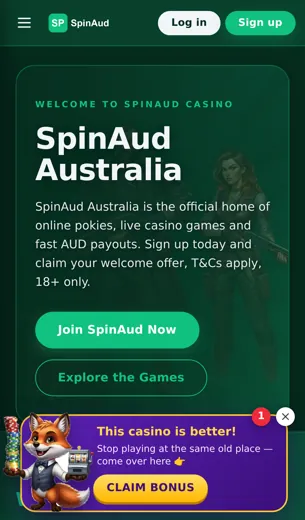
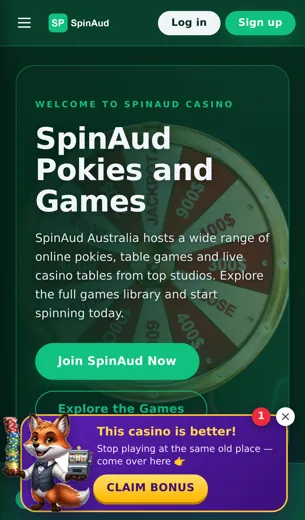
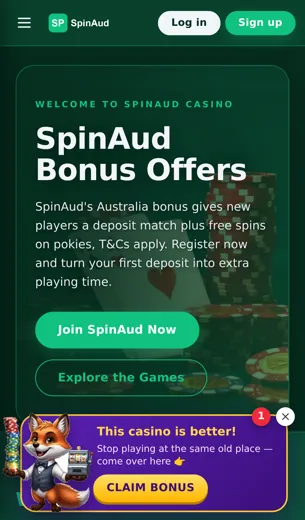
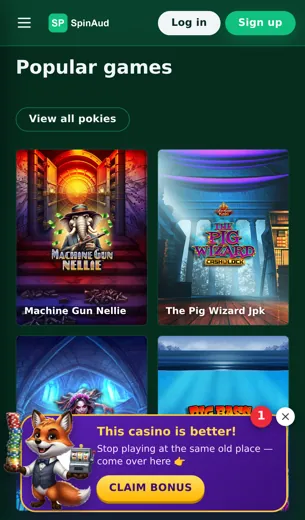
Here's the walk through the cellar door before you pour anything. These six screens are the parts of the Spinaud app players use most, shown the way they look on a standard phone held upright.
The lobby opens on the slots shelf, with Gates of Olympus, Book of Dead and Starburst near the top, and filters for Pragmatic Play, NetEnt and Push Gaming one tap away. Swipe across to the live tab and the Evolution tables are there: blackjack, roulette and game shows, each with its seat count and minimum bet listed before you join.
The sportsbook screen has the same layout as the casino, so you won't have to learn a second menu. The cashier is where most people slow down. It puts Bitcoin, Ethereum, USDT, Litecoin and TRON next to Visa, Mastercard, Skrill, Neteller and Paysafecard, all priced in AUD. The promotions screen shows the welcome offer, a 100% match plus 100 free spins, with the wagering terms one tap below.
Last is the support screen. Live chat sits at the top, and email and phone are listed underneath for anything that needs a longer conversation.
Your First Deposit Bonus on the App
A 100% match plus 100 free spins, ready the moment your first deposit lands.
Let me pour you the short version first: your first deposit on the Spinaud app gets matched 100%, and we add 100 free spins on top. Put in AUD 50 and you play with AUD 100. The spins go on slots we actually like, so expect titles such as Book of Dead or Starburst rather than some forgotten filler game.
You can fund it however suits you. Visa, Mastercard, Skrill, Neteller and Paysafecard all work, and so do Bitcoin, Ethereum, Litecoin, TRON and USDT if you prefer crypto. The match applies the same way whichever method you pick.
A word from someone who has watched plenty of people rush the first glass: read the wagering terms before you play. They're listed in the bonus section of your account, along with which games count fully toward the requirement. Live tables from Evolution usually count for less than Pragmatic Play or NetEnt slots, and that changes how quickly you clear the bonus.
Spinaud App FAQ
Short answers to what players ask most before they tap install.
What can I play in the Spinaud app?
You get the full lobby: slots, live casino, poker and sports betting, all under one login.
Which game providers are included?
Evolution runs the live tables. Pragmatic Play, NetEnt and Push Gaming supply most of the slots.
Are popular slots like Gates of Olympus available?
Yes. Gates of Olympus, Book of Dead and Starburst all load in the app, same as on desktop.
Can I claim the welcome bonus on mobile?
You can. New players get a 100% match plus 100 free spins, and it works the same on phone or desktop.
What currency does the app use?
Balances and bets are shown in AUD, so you don't have to convert anything yourself.
Which payment methods work in the app?
Visa, Mastercard, Skrill, Neteller and Paysafecard, plus crypto: Bitcoin, Ethereum, Litecoin, TRON and USDT.
Is crypto faster than cards?
Usually, yes. Once confirmed on the blockchain, crypto deposits tend to reach your balance before card payments.
Do I need a separate account for the app?
No. Your existing Spinaud login works, and your balance and history carry over.
How do I contact support from my phone?
Live chat is built into the app. Email and phone are there too if you'd rather talk it through.
Is Spinaud licensed?
Yes, we hold a Curaçao eGaming licence. The full details are in the licence section further down this page.
Can I bet on sports and play casino with one balance?
Yes. A single wallet covers sportsbook bets and casino games, so you can switch without moving money around.